Fast Bracket Order Entry
One-click side and order-type toggles, a quantity auto-sized from your own risk settings, and watchlists beside the chart — a disciplined trade takes seconds, not a spreadsheet.
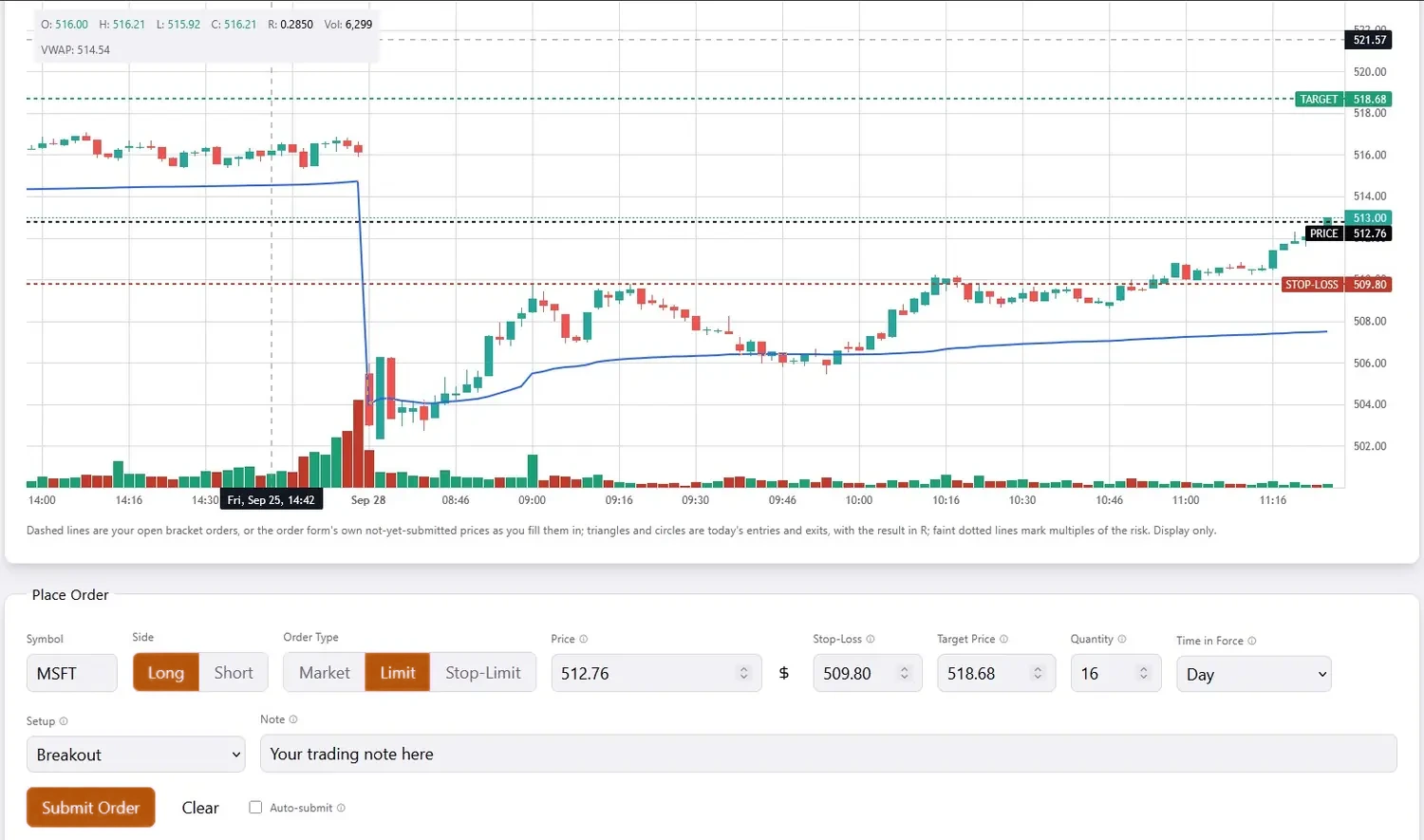
Every bracket order is placed with its target and stop attached from the start. One-click side and order-type toggles, and a quantity calculated automatically from your own risk settings, mean a fully risk-managed trade takes seconds, not a spreadsheet.
Or skip the form entirely: double-click a price on the live chart to set your entry, drag to set your stop, and with Auto-submit on, releasing the drag clicks Submit for you and brings up the confirmation — target and stop already attached, sized from your own risk rules. Need to adjust? Drag the label of any line you've set to a new price before you submit.
Finding the trade is just as quick. Keep watchlists in a collapsible panel right beside the chart: click any symbol and its chart loads, then send it to the order form with one more click. Create as many lists as you like, add symbols one at a time or paste a whole list, and they follow your account to any device.
See plansDisciplined. Automatic. Instant.
QuantmHQ enforces the risk limits you set on every order and gets you into a trade in seconds — automated discipline, without slowing you down.
Start your free trial